Navidrome
The fullest Naviamp experience, including smart playlists, ratings, rich OpenSubsonic features, and sonic discovery when enabled.
Your collection. A whole new way to listen.
Bring your Navidrome, Subsonic, Jellyfin, or Bandcamp collection to a player made for exploring, listening, and making it yours.
macOS · Windows · Linux · Android · iOS beta
Open source. No ads or third-party tracking SDKs.
Use the music source that works for you.
The fullest Naviamp experience, including smart playlists, ratings, rich OpenSubsonic features, and sonic discovery when enabled.
Connect compatible self-hosted servers. Naviamp detects capabilities and presents the features each server supports.
Browse, search, stream, download, favorite, and organize music from your Jellyfin libraries.
Play and download your collection through Bandcamp's Subsonic beta using credentials from Fan Settings.
Make more of your music
Smart Playlists · Navidrome
New music you haven’t played. Favorites you haven’t heard in months. Build playlists that follow your collection with filters, nested rules, sorting, and limits.
Example Smart Playlist
Rules keep finding matching music as your library changes.
Naviamp Connect · Beta
Play music on your computer or Android TV while you browse and control the queue from another Naviamp device. Pair once, choose a player, and keep listening.
Playback commands
Music streams directly
Android and desktop. Devices need a reachable network connection.
Go further into your collection
A familiar library is only the beginning.
Discover
Build a listening session around artists, albums, or genres. Explore new combinations, edit the queue, and save a mix you want to hear again.
Sonic Mix, Sonic Path, related tracks, and sonic autoplay go deeper when your server provides compatible similarity data.
Explore mixes, sonic discovery, and radio →Listen
Gapless albums. Smooth crossfades. ReplayGain for a more consistent listening level. Shape playback with an equalizer, sample-rate controls, and album or playlist profiles.
Keep waveform seeking, lyrics, track details, and your queue close at hand.
Explore audio support →Personalize
Let album-art colors set the mood. Choose Aurora gradients, blur, or a solid background, then tune the metadata and layout to suit your screen.
On desktop, reactive visualizers bring another dimension to listening.
Built for the way you listen
The everyday essentials and the tools that take you further.
Choose the starting point for a session. Edit the result or save it as a playlist.
Explore mix builders →Keep favorite stations alongside your albums, with live track information when a station provides it.
Tune in →Take music offline and keep albums, artists, and playlists downloaded, with storage and cache controls.
Offline features →Follow plain, line-synced, or enhanced lyrics when your source supplies them.
Listening features →Android Auto, Android TV, desktop media controls, and Google Cast on Android and desktop.
Devices and requirements →Aurora, artwork blur, configurable metadata, waveforms, and reactive desktop visualizers.
See the different looks →One player, room to adapt
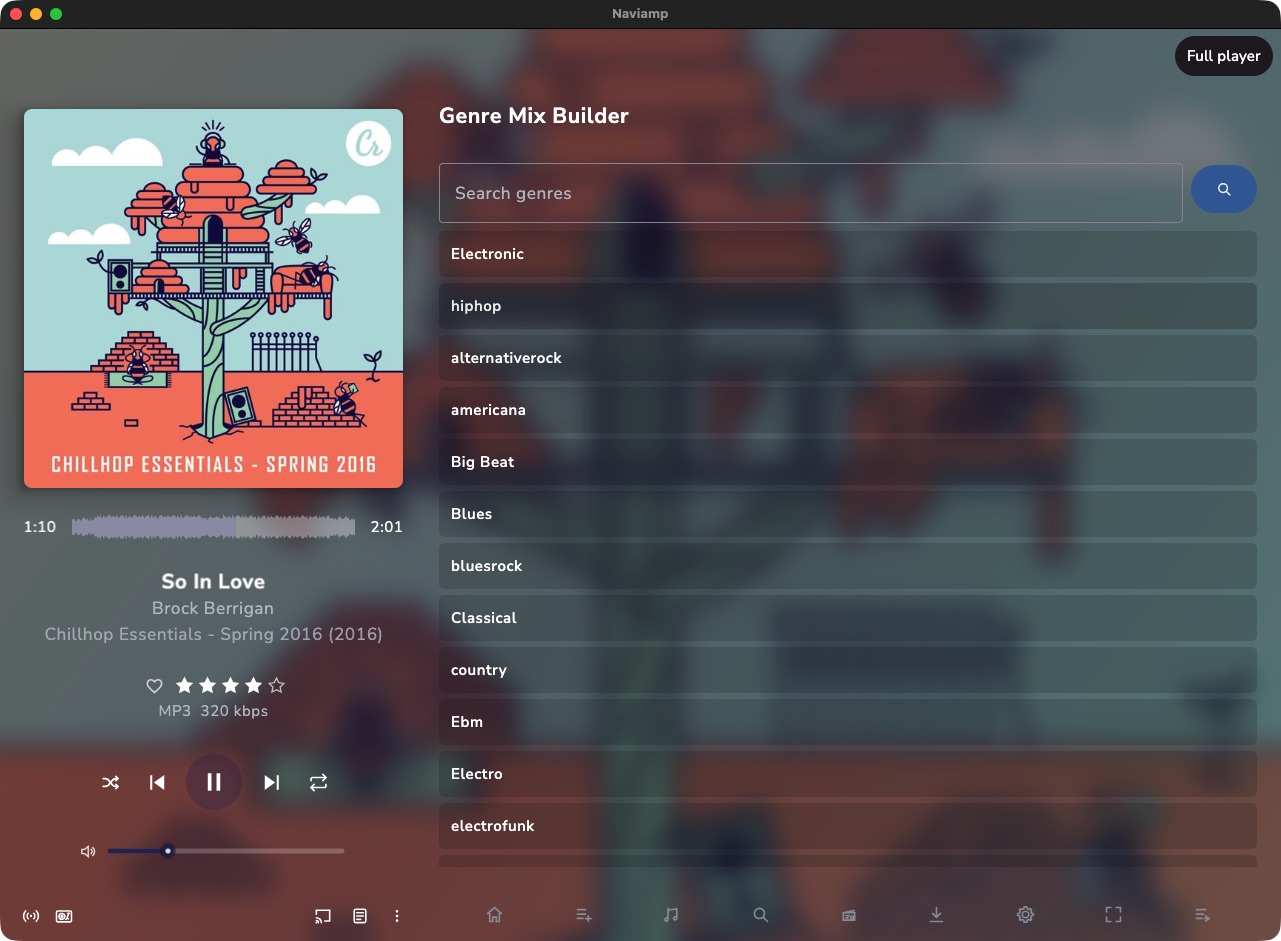
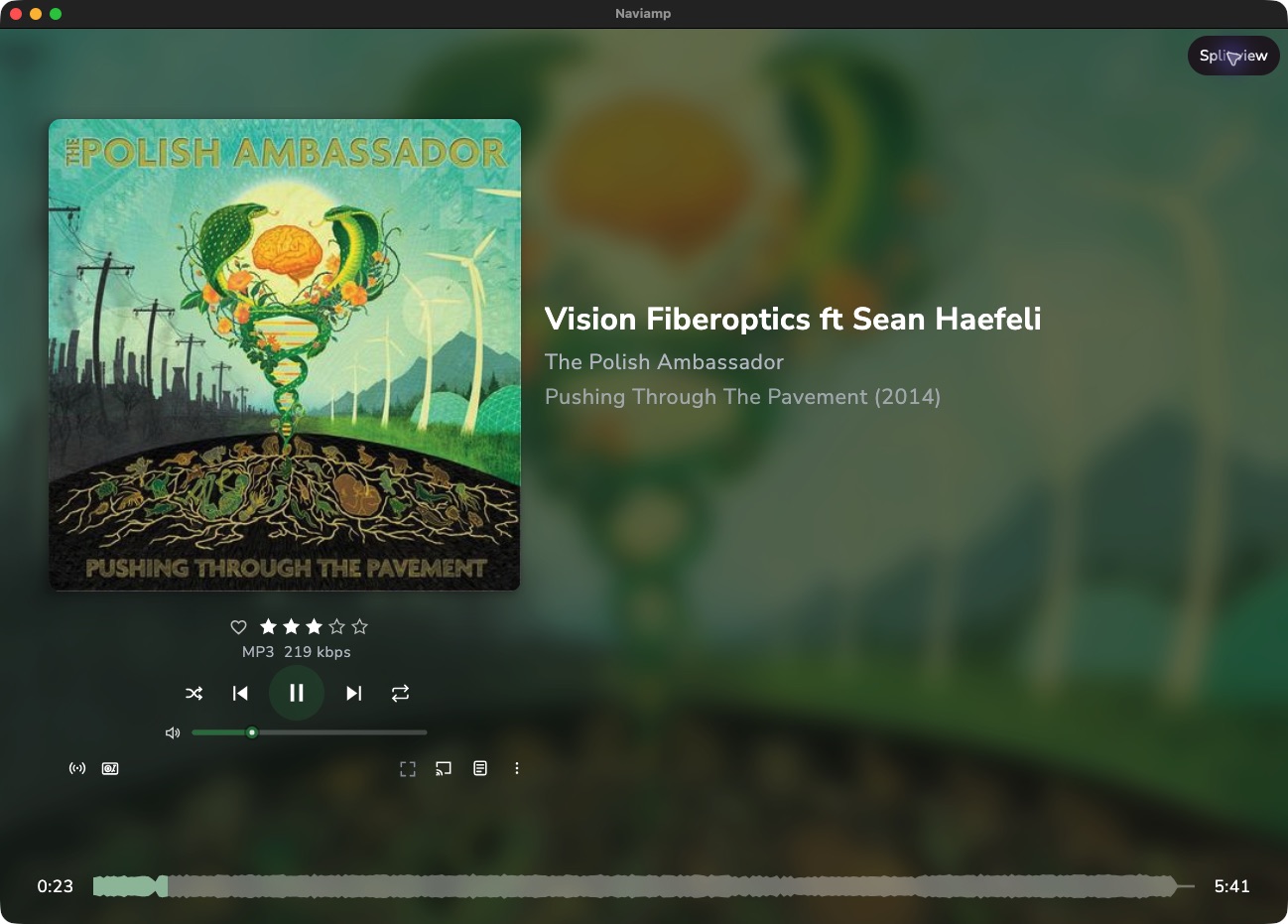
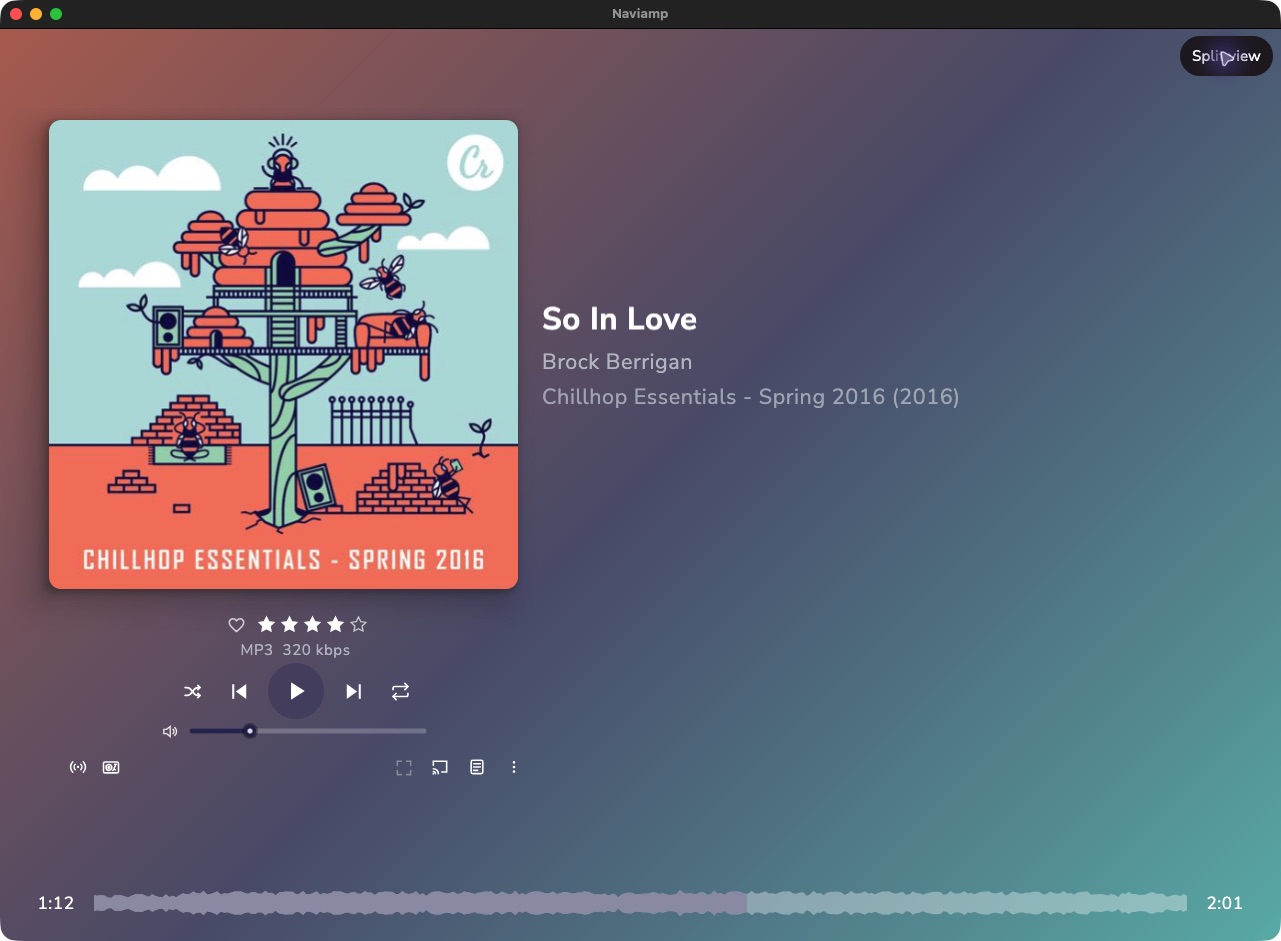
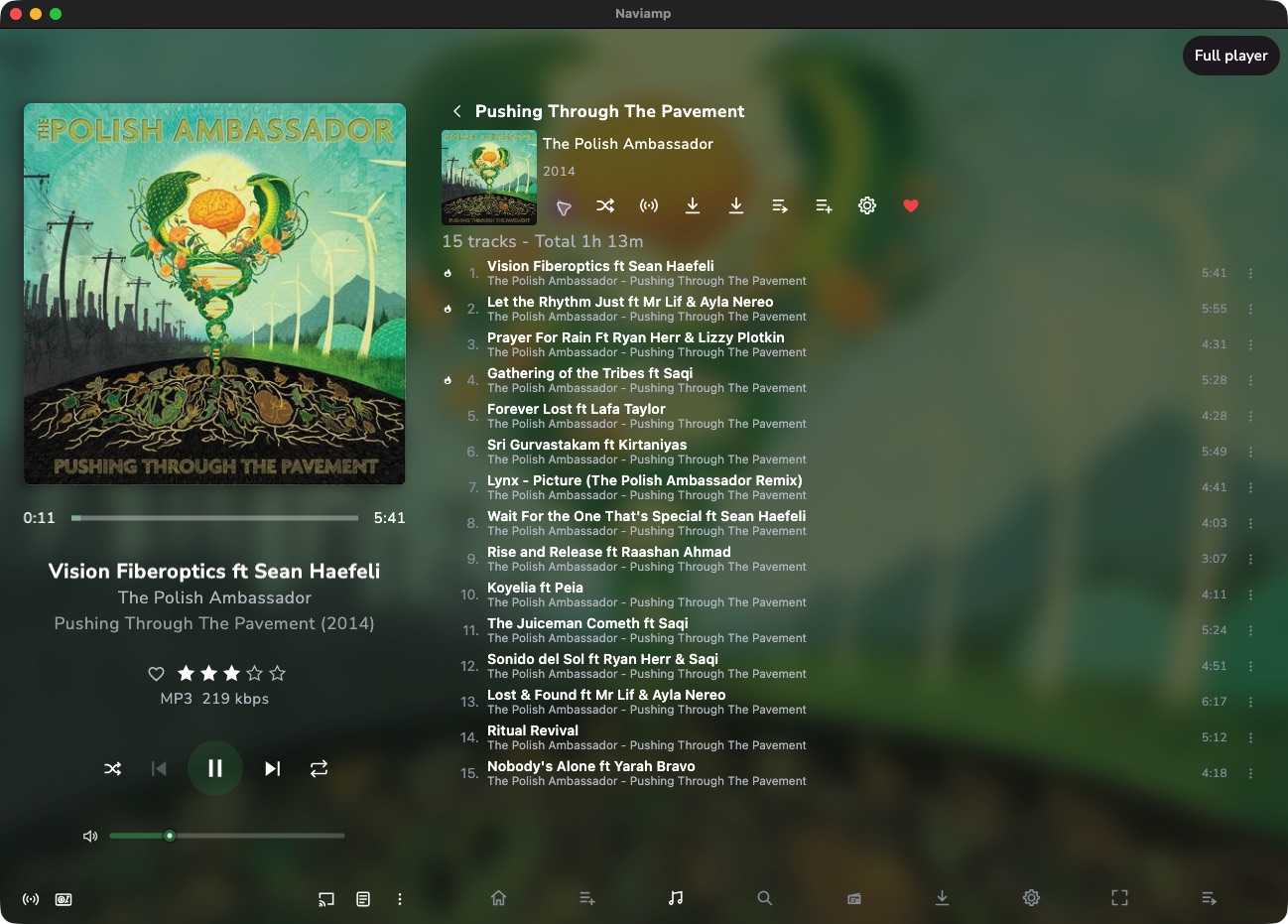
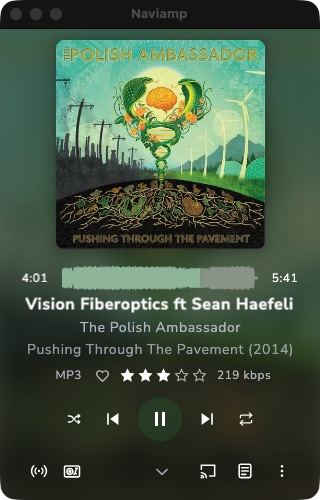
Different sizes make room for different things. These are real Naviamp layouts, captured with the same demo track.
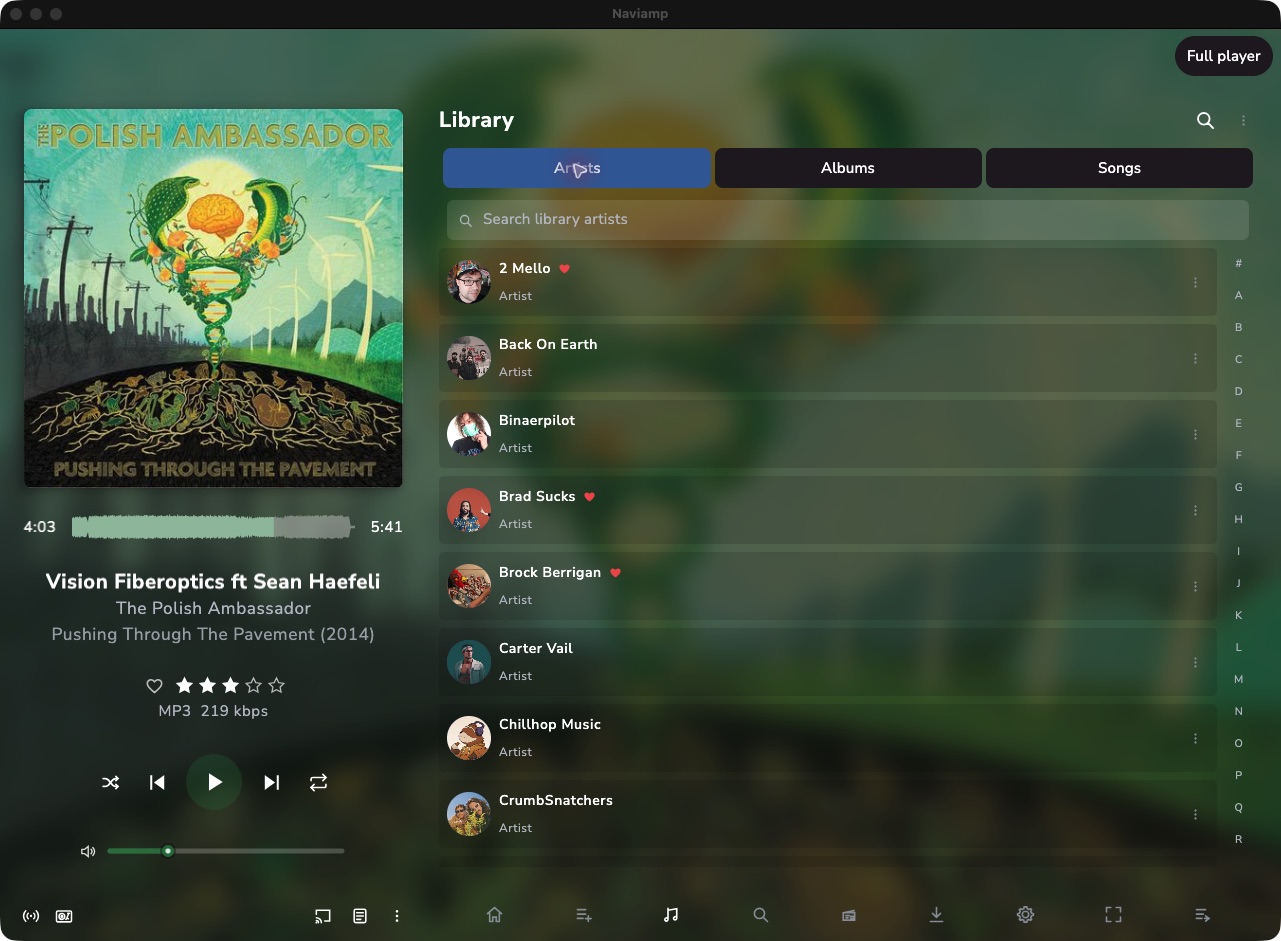
Artwork, track details, and playback controls stay beside your library. Use the other pane to browse or search while you listen.
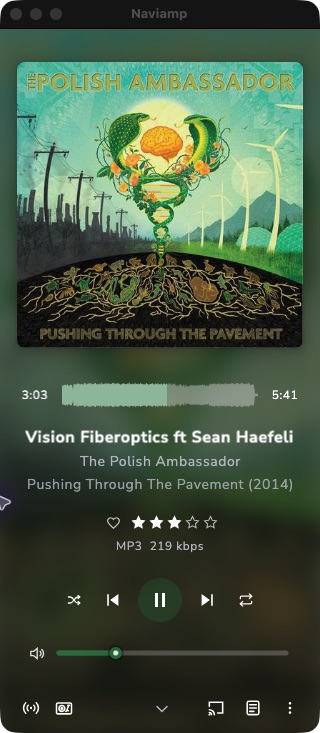
Give Now Playing the window. Large artwork and track details sit beside playback controls, ratings, volume, and a waveform across the bottom.
Artwork, song details, ratings, and audio information stack above transport controls and volume. Scroll for the queue, or open lyrics when available.
Smaller artwork leaves room for the song, waveform, ratings, and transport controls. Audio details share one row; the volume slider gives way to the shorter layout.
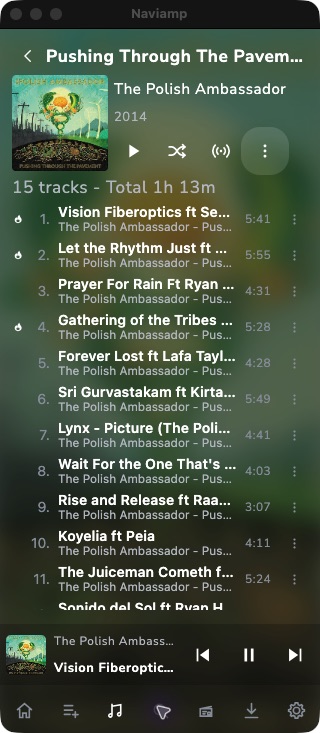
Return to your library with a small playback bar. Artwork, track identity, and previous, play/pause, and next controls remain visible; open Now Playing for the full view.
Window size, display settings, and available server features affect what is shown. Narrow desktop captures demonstrate adaptive layouts; they are not iPhone or Android screenshots.
Inside Naviamp
Select any screenshot to take a closer look.
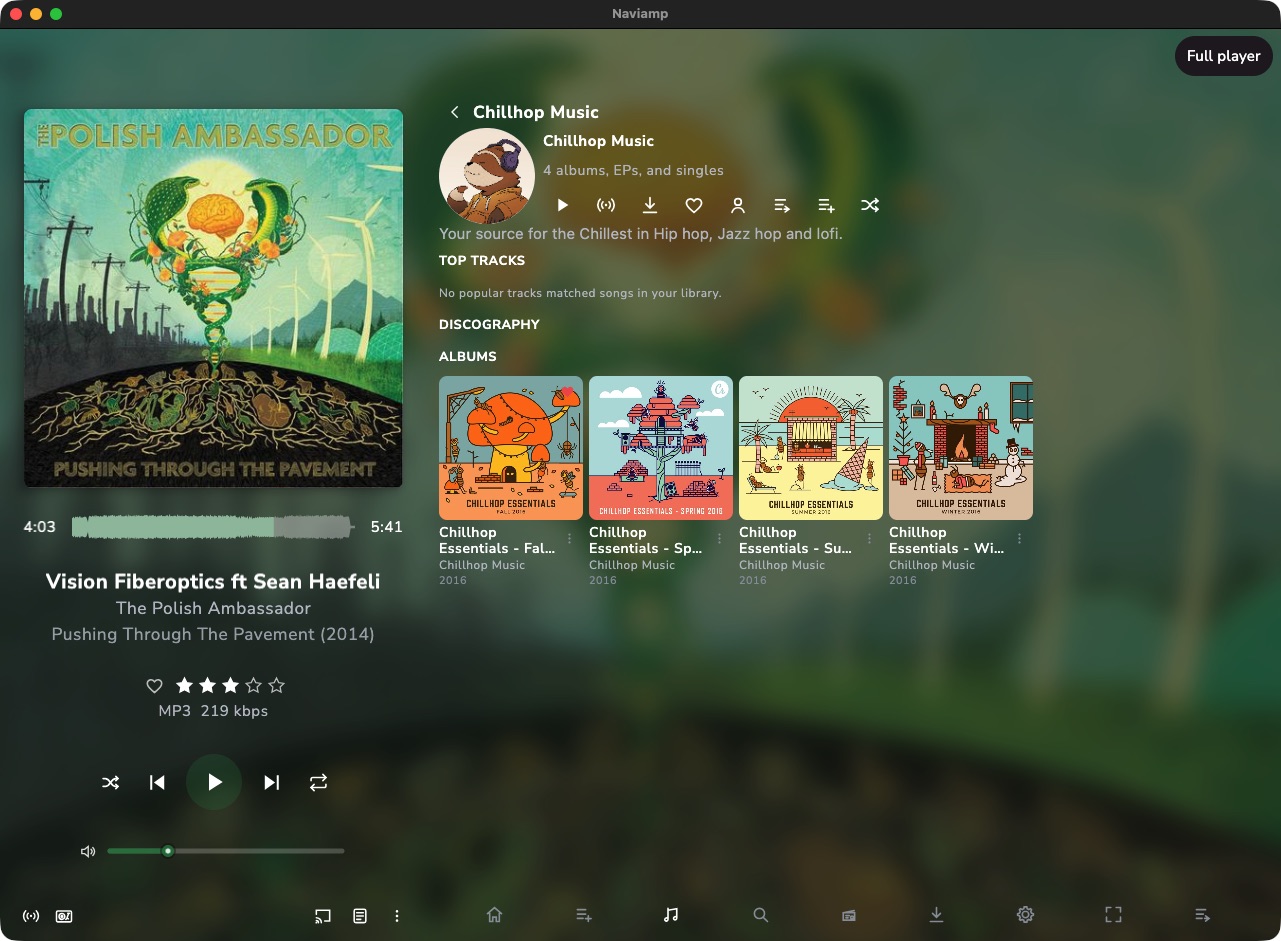
Artist portraits and your library, ready to browse.
Albums and top tracks bring an artist’s catalog together.
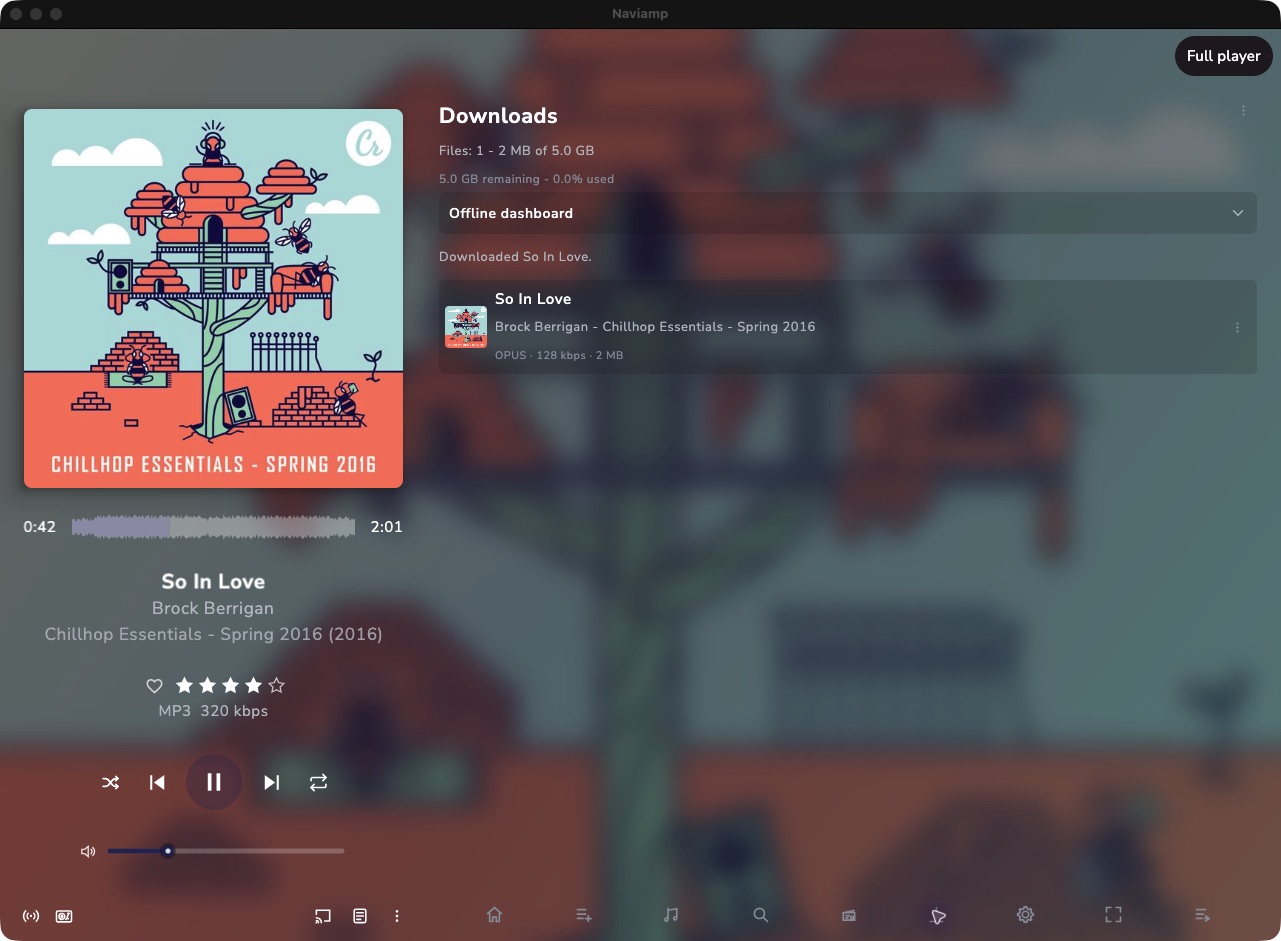
Manage downloads for listening away from your server.
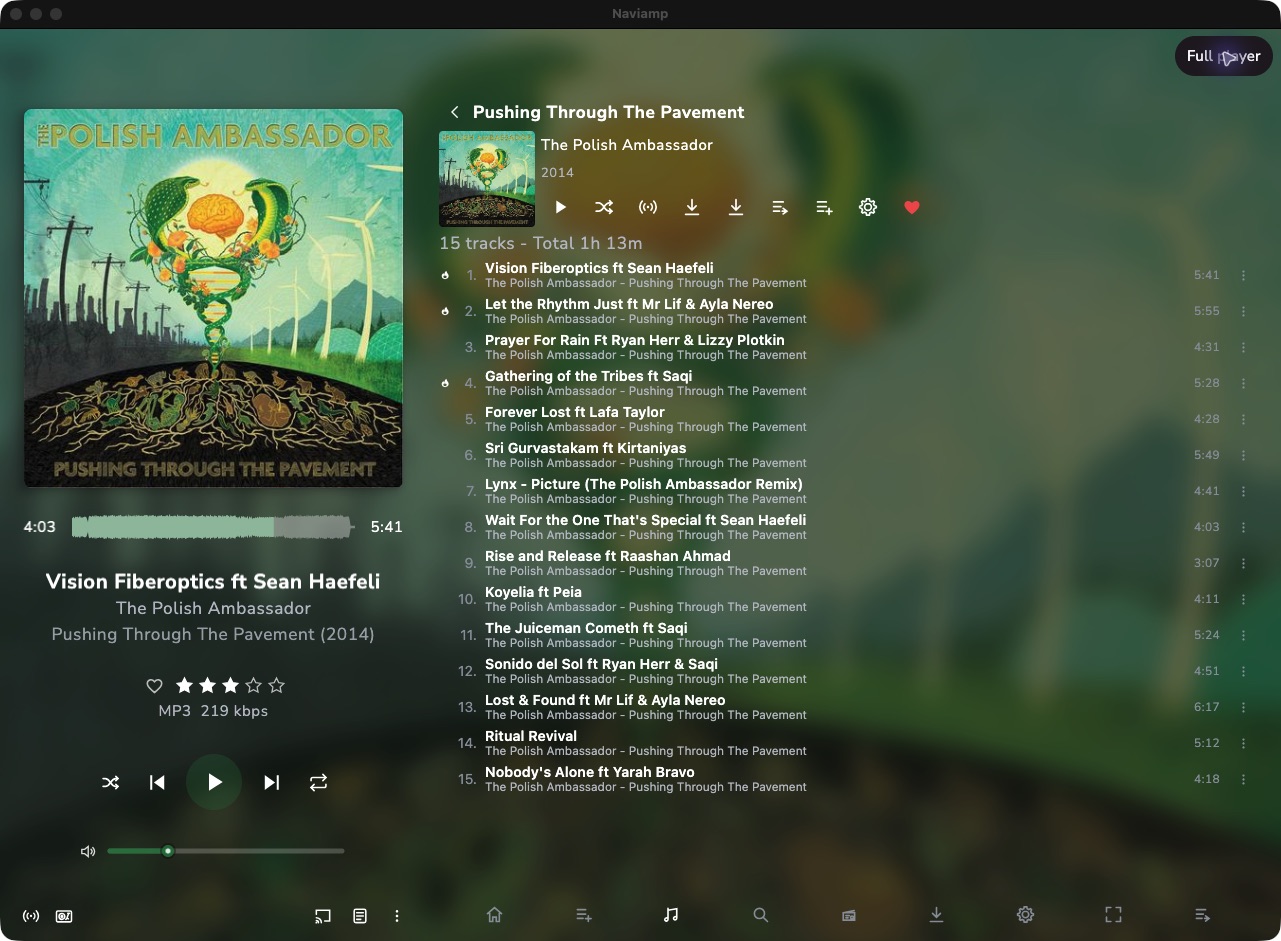
Track listings, album actions, and playback in one place.
App screenshots use the public Navidrome demo library. Its collection and enabled features may change.
Your music, on your device.
For your device
Install from Microsoft Store for automatic updates. Standalone EXE, MSI, and ZIP packages are also available on GitHub.
Install from Mac App Store for automatic updates. Standalone DMG and ZIP packages for Apple silicon are also available on GitHub.
Choose a DEB, RPM, or portable ZIP for x64 from the latest GitHub release.
Get the APK from the latest GitHub release to install on your Android device.
Try the iPhone and iPad beta through TestFlight. An unsigned arm64 IPA is also available on GitHub for users who provide their own signing.
Get started
Choose the download for your device. Install the iPhone and iPad beta through TestFlight.
Choose your service and enter its address and credentials. Bandcamp uses Subsonic beta credentials from Fan Settings.
Browse an album, search for an artist, or start a mix. Download music when you want to take it offline.
Naviamp is a player for a collection you already have access to. Connect your own compatible music server or your Bandcamp collection; Naviamp does not supply a streaming catalog.
Yes. Connect to https://demo.navidrome.org with username demo and password demo. This public demo has a sample collection and some features are restricted. About the Navidrome demo.
Capabilities depend on your provider, server configuration, and account permissions. Sonic discovery needs compatible similarity data, and native smart-playlist editing is a Navidrome enhancement. Read the full compatibility guide.
Download music before you leave your connection. Naviamp provides download management, storage and cache settings, and an offline dashboard. Downloads depend on the permissions your server provides.
Microsoft Store handles updates on Windows, and Mac App Store handles updates on macOS. The iPhone and iPad beta updates through TestFlight. For packages downloaded from GitHub, use the latest release and read its installation and upgrade notes. macOS and Windows standalone packages are unsigned and may show an operating-system warning. Current release and installation notes.
Join the Naviamp Discord for questions and discussion, or report a problem on GitHub. Community translations are managed through Weblate.
Keep up with Naviamp
Cast online music from desktop, keep albums and artists downloaded, and give your player the whole screen with fullscreen.
Your library stays with the service or server you choose. Naviamp contains no ads or third-party tracking SDKs, and credentials use operating-system secure storage where supported.
Provider capabilities differ, so Naviamp hides or gracefully falls back from server-specific features instead of leaving broken controls behind.
Naviamp is available for macOS, Windows, Linux, and Android. The iPhone and iPad beta is available through TestFlight; an unsigned arm64 IPA remains available for users who provide their own signing.
Naviamp is translated by its community using Weblate.