← Back to Naviamp

Make it yours

Give your music
its own atmosphere.

Artwork colors, adaptable layouts, and the details you choose to keep in view.

One song. Two different moods.

Actual Naviamp captures from the Navidrome demo connection, using the same Chillhop artwork.

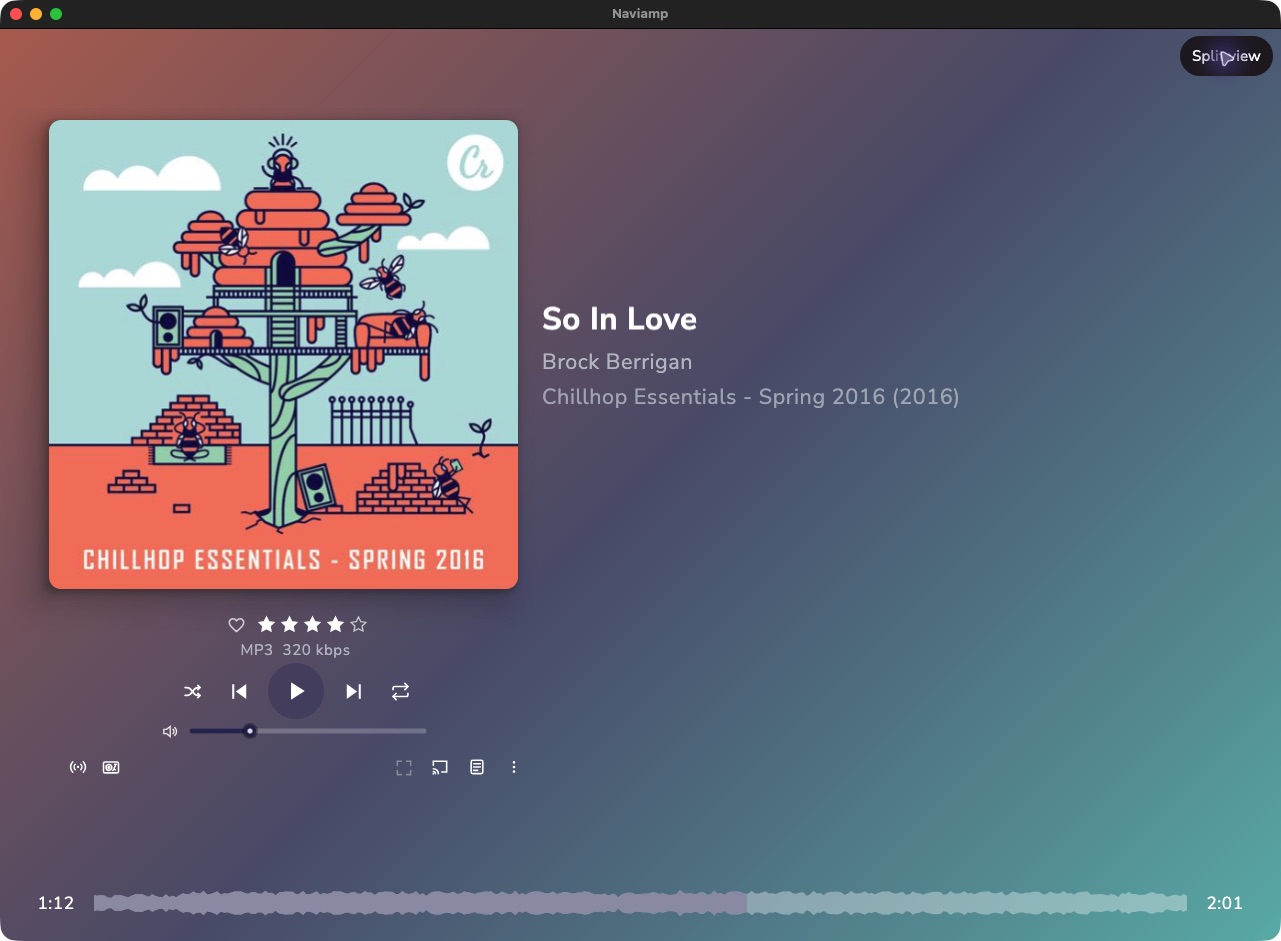
Aurora

A gradient built from the album’s colors, with control over color count, angle, and tone.

Open image directly
Aurora · balanced tone, three colors, 45° angle.

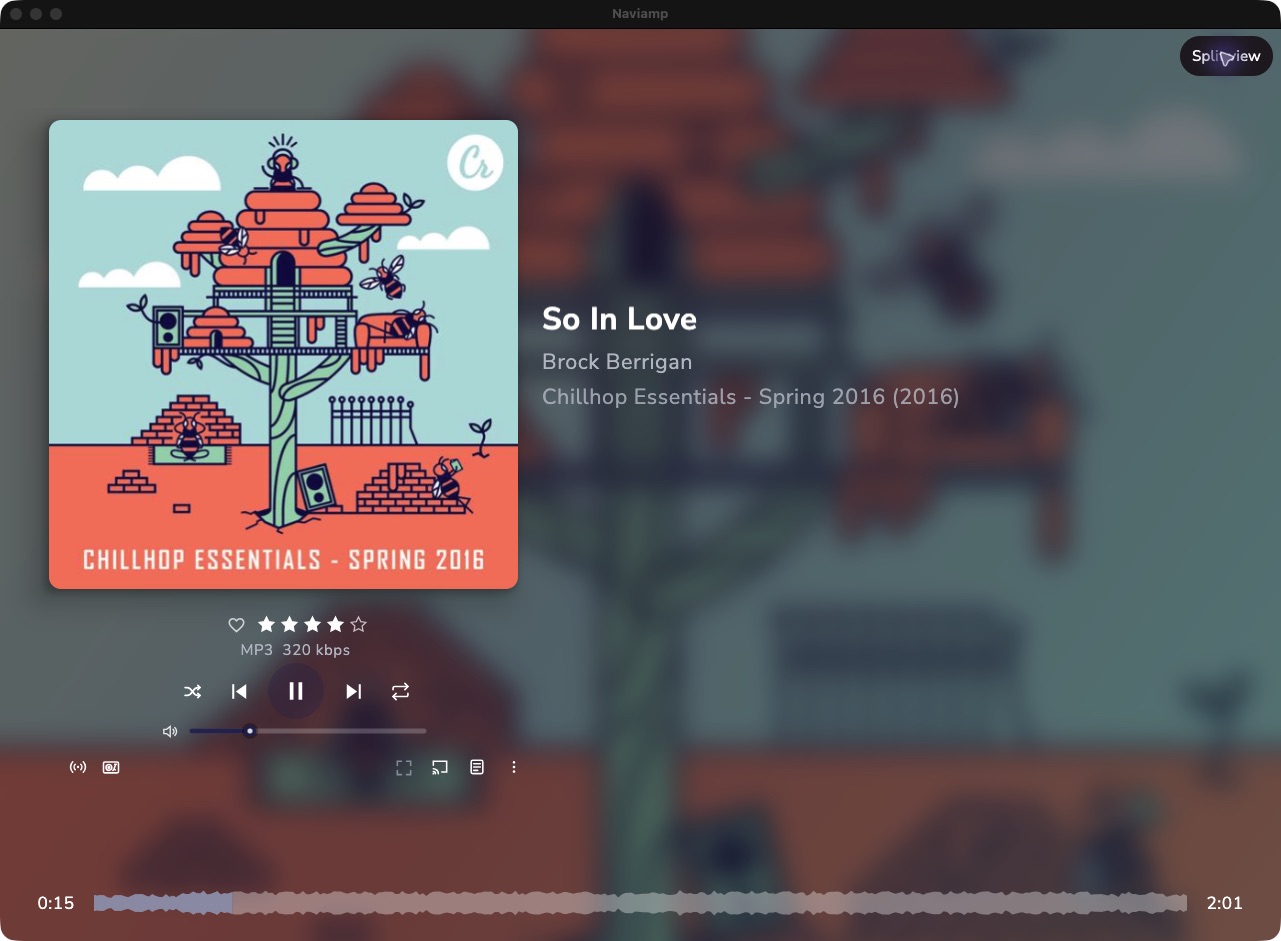
Album Blur

Fill the background with a softened version of the cover itself.

Open image directly
Album Blur · the same track, with a different backdrop.

Find your balance.

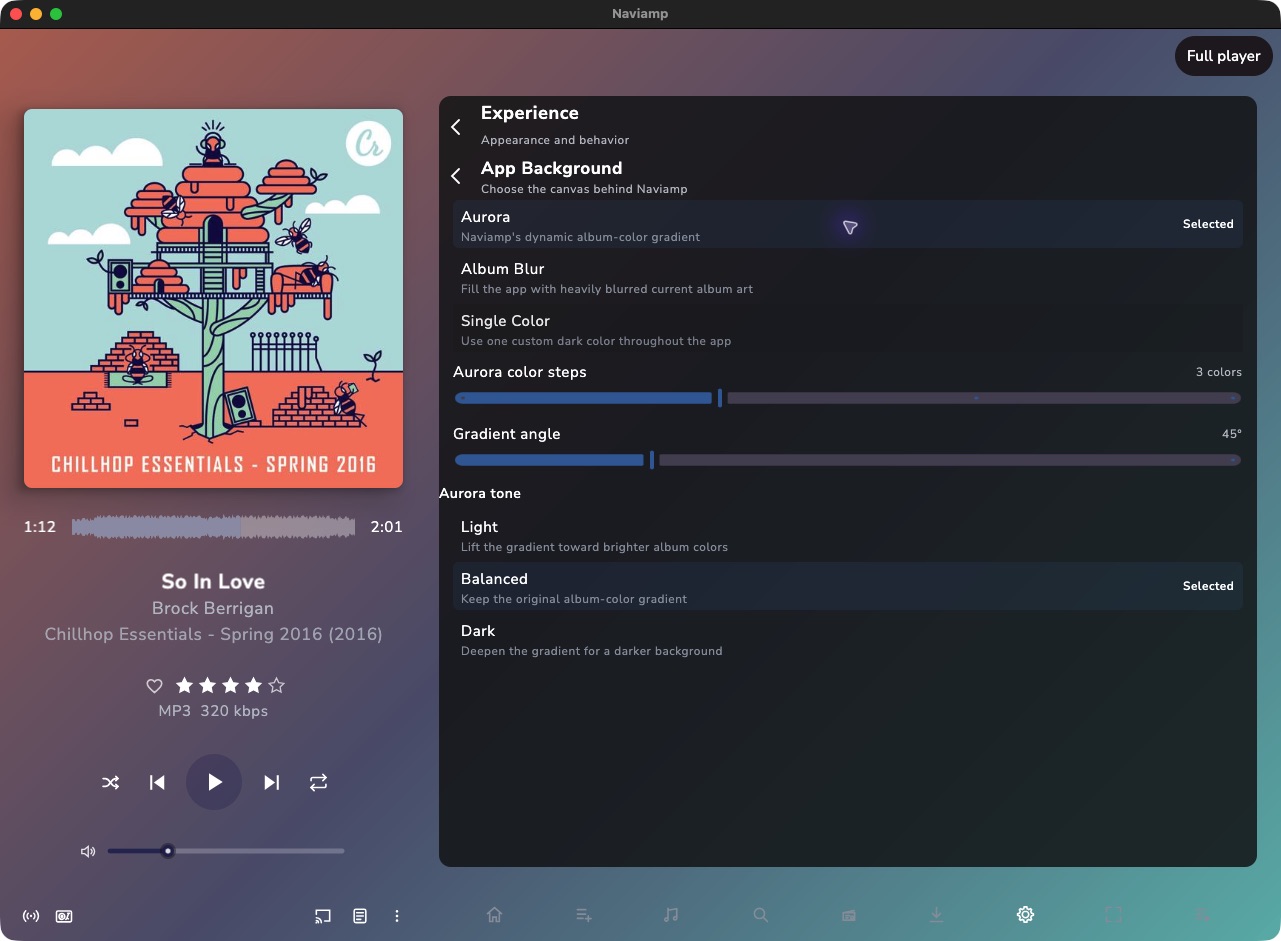
Choose two to five colors for Aurora and adjust the gradient angle. Use Light to lift the palette, Balanced to preserve its original character, or Dark for a deeper background.

Prefer something quieter? Adjust Album Blur or choose a Single Color. Configure metadata, waveform display, and Home layouts around the way you listen.

Compare the five player layouts →

Open image directly
The settings behind the look, captured in Naviamp.

Give the music another dimension.

Desktop visualizers range from reactive bars and gradients to particles, terrain, tunnels, vinyl grooves, and album-art treatments. Choose the view that suits the moment, alongside the player’s configurable information and controls.
See appearance and accessibility features →

Make yourself at home in your music.

Naviamp full player using the Aurora album-color gradient with Chillhop Essentials Spring 2016
Naviamp full player using the Aurora album-color gradient with Chillhop Essentials Spring 2016 Open original image
Naviamp full player using Album Blur with Chillhop Essentials Spring 2016
Naviamp full player using Album Blur with Chillhop Essentials Spring 2016 Open original image
Naviamp App Background settings with Aurora selected, three colors, 45 degree angle, and Balanced tone
Naviamp App Background settings with Aurora selected, three colors, 45 degree angle, and Balanced tone Open original image